
Portable Height-Adjustable Laptop Desk: Comfort Anywhere
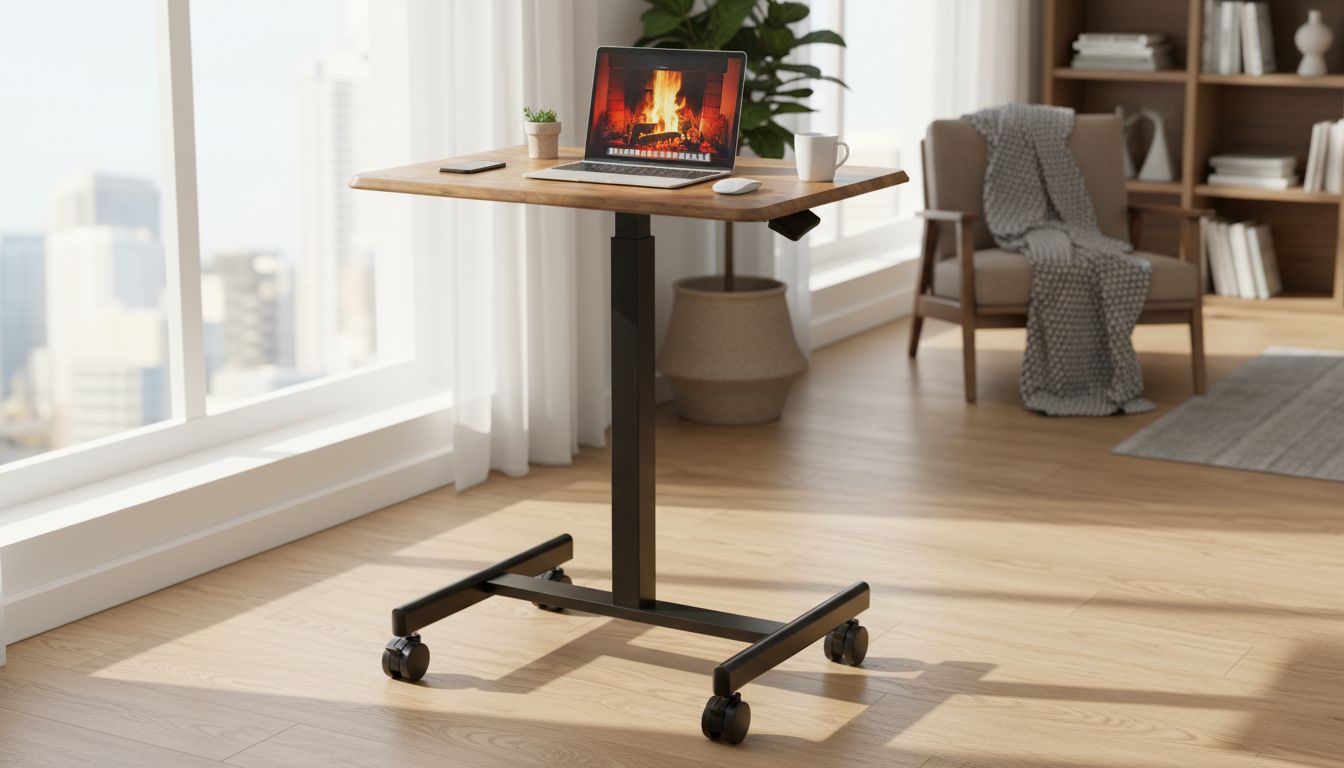
Portable Height-Adjustable Laptop Desk for Flexible Work and Comfort
A portable height-adjustable laptop desk makes it easier to switch between sofa, bed, and table setups while keeping the screen and keyboard in a more comfortable position. The right design helps reduce awkward neck and wrist angles, packs away quickly, and stays stable whether used for work, study, or casual browsing.
What a Portable Height-Adjustable Laptop Desk Solves
Modern routines rarely happen at one perfectly arranged workstation. A portable adjustable desk bridges the gap between “make-do” seating and a more ergonomic setup—without committing to a full-size desk.
- Creates a more comfortable screen height to help avoid hunching over a laptop
- Enables quick position changes: bed, couch, floor cushion, or standing for short sessions
- Keeps devices and accessories in one place for small spaces and shared rooms
- Helps protect laptops from soft surfaces that can block airflow (when used with a ventilated design)
For practical ergonomics guidance, resources like the OSHA Computer Workstations eTool and NIOSH ergonomics information outline why screen height, wrist position, and frequent posture changes matter during computer use.
Key Features That Matter Day to Day
Adjustability is the headline feature, but daily comfort comes from a handful of details that prevent wobble, cramped mousing, and constant readjusting.
- Height range: enough adjustment to work on a couch, at a chair, or standing briefly
- Stability: wide base or secure legs that don’t wobble when typing
- Work surface size: fits a laptop plus mouse area if needed
- Angle/tilt options: helpful for drawing, reading, or improving wrist position
- Portability: fold-flat design, carry handle, and manageable weight
- Surface finish: easy-to-clean top that resists scratches and heat marks
If long sessions are common, pair your desk setup with the workstation fundamentals shared by Cornell University Ergonomics, especially around neutral wrist posture and bringing the display closer to eye level.
Fit and Sizing Guide (Laptop, Mouse, and Posture)
Before choosing a desk, match the surface and height range to how you actually work. A few quick measurements can prevent the most common frustrations: a laptop that barely fits, no place for a mouse, or a height that only works in one spot.
- Measure laptop width/diagonal and ensure the desk top leaves breathing room at the sides
- If using an external mouse, choose a wider surface or add a mouse pad area
- Aim for elbows close to 90 degrees while typing; adjust chair/sofa support as needed
- Top of screen should be closer to eye level; consider a laptop stand plus external keyboard if needed for long sessions
Quick Fit Checklist by Use Case
| Use case | Recommended desk traits | Helpful add-ons |
|---|---|---|
| Bed or couch typing | High stability, wider base, comfortable height range | External mouse, small wrist rest |
| Reading or watching videos | Tilt/angle adjustment, lip/edge stopper to prevent sliding | Tablet/phone stand, earbuds |
| Short standing sessions | Taller height range, rigid top, non-slip feet | Anti-fatigue mat, external keyboard |
| Small apartment / shared space | Fold-flat, light enough to move often, easy storage | Cable clips, compact power strip |
Comfort and Ergonomics Tips for Better Setup
The “right” height is the one that keeps you relaxed. Small adjustments—sometimes just an extra cushion behind your back—can make a portable desk feel much closer to a true workstation.
- Keep shoulders relaxed; if shoulders lift, lower the surface or raise seat support
- Use a separate keyboard/mouse for longer sessions when possible to keep screen higher
- Take micro-breaks: brief posture resets reduce stiffness even with a good desk setup
- Maintain airflow: avoid placing the laptop directly on blankets or cushions
Care, Storage, and Durability
Portable furniture is handled more often, which makes simple maintenance more important. A few habits can keep the finish looking clean and the adjustment points working smoothly.
- Wipe down the surface regularly; avoid harsh solvents that can dull finishes
- Check hinges/locking mechanisms periodically to ensure the height stays secure
- Store folded in a dry spot; avoid leaning heavy items on top to prevent warping
- Use a desk mat for writing to keep the surface cleaner and reduce scratches
Portable Height-Adjustable Laptop Desk Spotlight
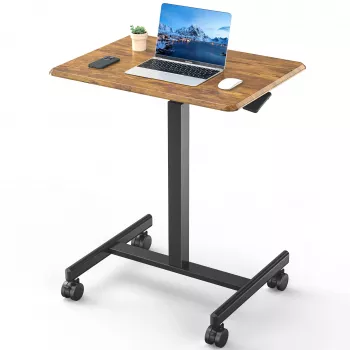
If your work hours happen everywhere—kitchen table in the morning, couch at night, and a quick email in bed—a single flexible surface can simplify the routine. The Portable Height-Adjustable Laptop Desk is designed to move easily between rooms and setups without a permanent workspace, with height adjustment that helps tailor the surface to different seats and activities. For longer work blocks, pairing it with an external keyboard and mouse can make the screen height and wrist position easier to balance.
Simple Home Workspace Upgrades That Pair Well
- A Full-Length Floor Mirror with Stand can brighten a room and help make small spaces feel larger
- Low-maintenance greenery like an Artificial Boxwood Spiral Topiary Plant adds a calmer feel to a work corner without upkeep
- A tidy, multipurpose room benefits from items that store easily when not in use, keeping the “work mode” setup quick to deploy and easy to put away
FAQ
How high should a laptop desk be for comfortable typing?
A comfortable height usually allows elbows to rest near a 90-degree bend with relaxed shoulders. Fine-tune by adjusting seat support and keeping wrists neutral; consider an external keyboard if raising the screen higher.
Is it okay to use a laptop desk on a bed or sofa?
Yes, if the desk is stable and keeps the laptop on a firm surface for airflow. Avoid blocking vents with blankets and choose a setup that prevents wobble while typing.
Do adjustable laptop desks work for standing?
They can for short sessions if the height range is tall enough and the base is stable. For extended standing work, an external keyboard/mouse and a more robust standing desk setup may be more comfortable.















Leave a comment