
Amazon Buying Smarter Checklist: Avoid Costly Mistakes

Amazon Buying Smarter Checklist: A Simple Routine to Avoid the Most Common “Oops” Purchases
A fast deal can still turn into a slow regret: wrong size, sketchy seller, surprise add-ons, or a return that costs more than the savings. Our Amazon Buying Smarter Checklist is a quick, repeatable routine that helps you catch the common mistakes before the “Place order” click—especially when you’re shopping in a hurry or on a tight budget.
If you want the ready-to-use version, you can grab our Amazon Buying Smarter Checklist: How to Avoid Common Buying Mistakes on Amazon and keep it open while you shop.
The “30-Second Pause” That Saves the Most Money
Most Amazon regrets happen because the checkout moment is rushed. Our team recommends a simple rule: before you pay, pause long enough to confirm (1) the exact item, (2) the exact seller, and (3) the true total cost.
During that pause, look specifically for the three biggest regret triggers:
- Unclear compatibility: fit/size/model mismatches (especially chargers, cases, filters, and parts).
- Misleading variations: dropdown changes to color, count, size, generation, or included accessories.
- Buried conditions: refurbished, used-like new, final sale, or restrictive return rules.
Using one standard flow every time matters. It keeps impulse buys under the same scrutiny as big-ticket orders—without turning shopping into a research project.
What the Checklist Helps Catch Before Checkout
- Wrong product version: near-identical listings, similar photos, or a variation dropdown that quietly changes specs.
- Hidden total cost: coupon not applied, subscribe-and-save toggled, shipping fees on third-party sellers, or “free returns” that still require specific drop-off steps.
- Seller and fulfillment mismatches: “Ships from” and “Sold by” differences that affect delivery timing, return handling, and customer service.
- Return-policy surprises: short return windows, restocking fees, or items marked final sale/non-returnable.
- Compatibility misses: accessories that sound right by product name but don’t match your exact model number.
For reference, Amazon explains its general returns process here: Amazon: Returns & Refunds. (Your specific item may have different conditions—your job is to spot them before you buy.)
Buying Smarter Checklist (Use This Order Every Time)
- Confirm the listing basics: exact title, size/count, color/material, and the selected variation (double-check the dropdown).
- Check “Sold by” and “Ships from”: prefer clear fulfillment and sellers with consistent history for higher-risk categories.
- Verify delivery promise: look for realistic arrival dates and note any shipping restrictions (batteries, hazmat, oversized items).
- Read the returns box: window length, condition requirements, fees, and whether returns are drop-off only.
- Open reviews with purpose: filter for most recent, read 1–2 negative reviews for patterns, and search within reviews for the exact model/keyword (size, battery, compatibility).
- Confirm the full price: apply coupons, verify taxes/shipping, and watch for add-ons (warranties, bundles, subscriptions) that sneak into checkout.
- Save proof if it feels borderline: screenshot the listing details and return policy (especially for higher-cost items).
Quick Pass/Fail Checks Before You Buy
| Checkpoint | What to look for | Pass | Red flag |
|---|---|---|---|
| Variation selected | Size, pack count, model, color | Matches what you actually need | Dropdown changes specs or quantity unexpectedly |
| Sold by / Ships from | Seller identity + fulfillment | Clear seller + reliable fulfillment | Unknown seller or unclear fulfillment details |
| Returns | Window + fees + condition rules | Straightforward, low-friction returns | Short window, fees, or strict condition language |
| Total price | Coupons, shipping, add-ons | All discounts applied; no extras | Warranty/subscription added by default |
| Reviews (recent) | Patterns in complaints | Issues are rare or clearly resolved | Repeated complaints about defects, fake specs, or returns |
Common Amazon Buying Mistakes the Checklist Prevents
If you want broader consumer guidance on online purchasing and avoiding common traps, the FTC has a practical overview here: Federal Trade Commission: Online Shopping.
How to Use the Checklist for Different Types of Purchases
Example: if you’re buying a higher-value home item like our modern nightstand with hidden drawer, USB Type‑C charging, and LED sensor light, your smartest “pause” is returns + delivery logistics + recent reviews, because return friction is where expensive mistakes show up.
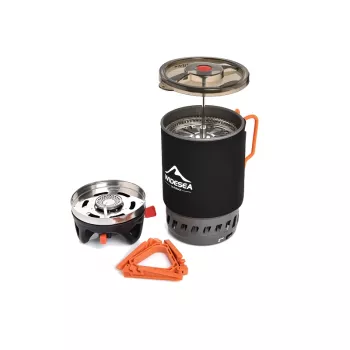
For gear purchases like our portable camping cooking system with heat exchanger and gas stove, shift your emphasis to compatibility (fuel type, pack size, what’s included) and shipping restrictions (fuel canisters and related hazmat rules often differ from expectations).
Make the Checklist a Habit (So It Works When You’re Rushed)
Grab the Amazon Buying Smarter Checklist
Our team built this as a low-cost, reusable tool for fast decisions and fewer returns. If you want a simple routine you can run in under a minute for most purchases, start here: Amazon Buying Smarter Checklist: How to Avoid Common Buying Mistakes on Amazon.
FAQ
Does this checklist help with avoiding fake or low-quality listings?
Yes—by forcing a quick check of “Sold by”/“Ships from,” scanning recent review patterns for sudden quality shifts, confirming the exact variant/specs, and spotting return-policy friction that often accompanies risky listings.
How long does it take to use the checklist for a typical purchase?
Plan on about 30–90 seconds for simple items and a few minutes for higher-cost purchases. For low-cost buys, you can run the shortened flow (variant, seller/fulfillment, returns, final total) and still avoid the most common mistakes.
What’s the single most important thing to check before clicking “Place order”?
If you only do one thing, confirm you selected the correct variant (size/model/count) and then verify “Sold by/Ships from,” the returns box, and the final total. Those checks prevent the most expensive mistakes: wrong item, return friction, and surprise add-ons.















Leave a comment