


100W USB-C to USB-C Cable: Fast PD Charging Guide
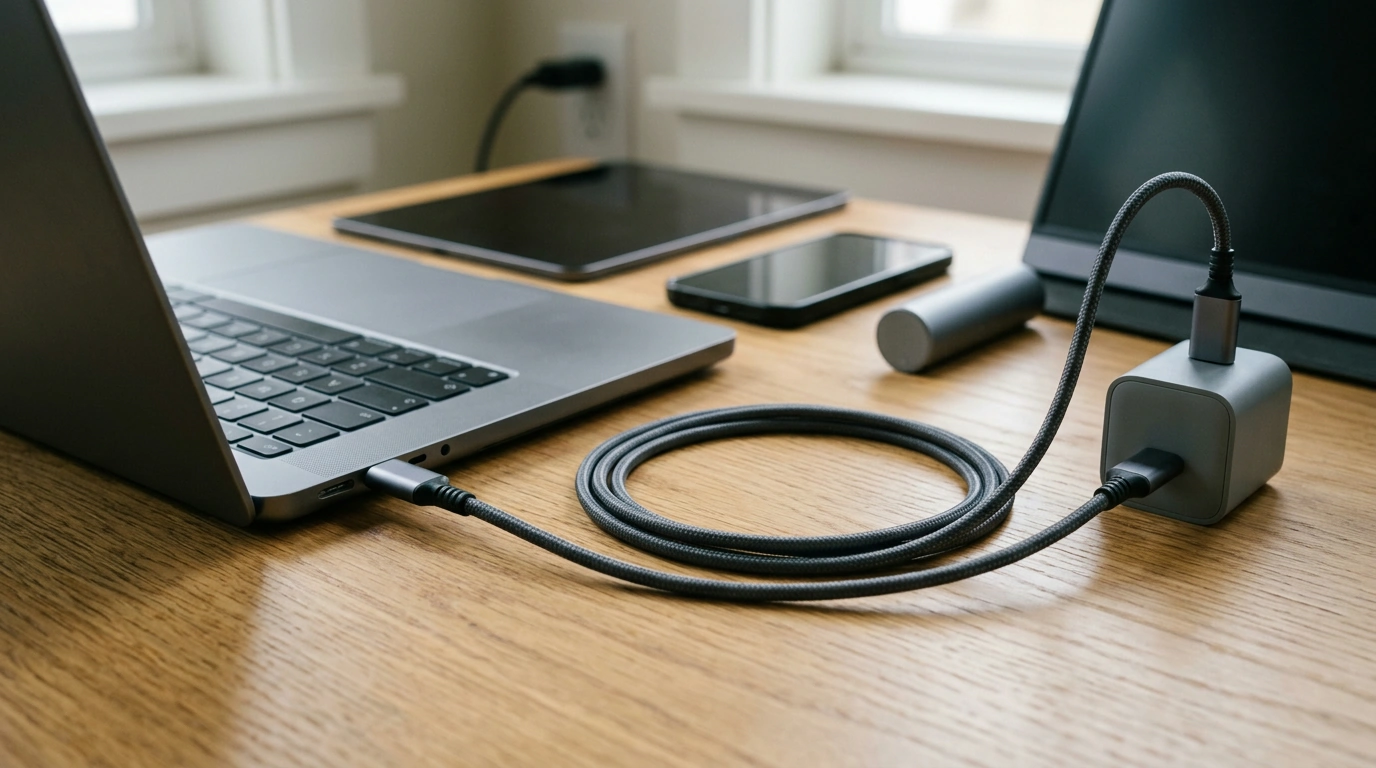
100W USB-C to USB-C Fast Charging Cable: Everyday Power for Phones, Tablets, and Laptops
A USB-C to USB-C cable can be the difference between slow top-ups and reliable, full-speed charging across modern devices. A “100W” rating adds welcome headroom for higher-draw gear like laptops, USB-C docks, and some portable monitors—while still working perfectly for everyday phones and tablets. Below is a practical guide to what 100W means, how to match a cable with the right charger, and the small details that help keep charging stable at home, at a desk, or on the go.
What a 100W USB-C to USB-C Cable Is Designed To Do
A 100W USB-C to USB-C cable is built for higher-power USB-C charging when paired with a compatible USB Power Delivery (USB PD) charger and a device that can request that power level. In day-to-day use, that means:
- Supporting higher power charging for USB-C devices with a compatible USB PD charger.
- Working across common USB-C gear: phones, tablets, power banks, handheld consoles, laptops, portable monitors, and hubs.
- Reducing charging time compared with lower-wattage cables—though real speed depends on your charger and your device’s charging limits.
- Handling USB-C data connections where supported; charging capability and data speed are separate specs.
For background on how USB-C and USB PD are standardized, the USB-IF’s overviews are helpful: USB Type-C and USB Power Delivery.
Specs at a Glance
- Power rating: Up to 100W charging potential with compatible USB-C PD chargers and devices.
- Connector type: USB-C to USB-C for modern charging bricks, laptops, and multiport USB-C chargers.
- Best use cases: Laptop charging, fast phone charging, and powering USB-C accessories that draw more than standard phone wattage.
- Important note: Charging speed is limited by the lowest-capability part of the setup (device, charger, cable, or power source).
Feature checklist for a 100W USB-C to USB-C charging setup
| Feature | What it affects | Practical takeaway |
|---|---|---|
| 100W power capability | Maximum charging power | Useful for many USB-C laptops and fast-charging accessories when paired with a matching PD charger |
| USB Power Delivery compatibility (charger + device) | Charging negotiation and profiles | A PD charger is typically required to reach higher wattage levels |
| 5A support / e-marking (varies by cable) | Whether certain 100W modes are available | Some 100W scenarios require a 5A, e-marked cable; confirm if a specific device is picky |
| Cable length and build | Voltage drop and durability | Longer cables can reduce effective power; sturdier strain relief helps prevent fraying at the ends |
| Data capability (varies by cable) | File transfer / display support | Not all USB-C cables are high-speed data cables; choose based on whether data matters |
Charging Performance: What to Expect in Real Life
“100W” doesn’t mean every device will suddenly pull 100 watts. It means the cable is capable of safely supporting up to that level when the charger and device negotiate it through USB PD.
- Phones: Many models charge around ~18W–45W depending on the phone and charger. A higher-rated cable mainly ensures the cable isn’t the bottleneck.
- Tablets: Often draw ~20W–45W. A capable cable helps keep charging stable during gaming, video calls, or note-taking with the screen bright.
- Laptops: Commonly request ~45W to 100W. A 100W-capable cable can support many USB-C laptop chargers and reduce the “plugged in but not charging” surprises.
- Gaming handhelds and docks: Stable PD negotiation helps prevent slow charging, power warnings, or intermittent disconnects when the load changes.
- Heat and throttling: Fast charging naturally creates heat. Many devices taper wattage as the battery fills to protect longevity—so peak wattage is often brief.
Compatibility Basics: Charger, Device, and Cable Must Agree
A reliable fast-charge setup is a three-part handshake: the charger advertises what it can provide, the device requests what it can accept, and the cable has to support it without excessive loss or safety issues.
If you’re pairing with Apple gear, Apple’s guidance can help set expectations for adapter wattage and device behavior: About USB-C power adapters.
Durability and Safety: Small Details That Matter
Everyday Scenarios Where a 100W Cable Makes Sense
Product Options In Stock
-
100W USB C to USB C Fast Charging Cable
— budget-friendly support for PD charging setups and USB-C devices that benefit from extra wattage headroom (USD $3.97). -
modern-nightstand-with-hidden-gun-drawer-usb-type-c-charging-led-sensor-light
— a bedside option with built-in USB Type-C charging, helpful for keeping a dedicated cable within reach (USD $395.84).
FAQ
Will a 100W USB-C to USB-C cable charge a phone faster?
Only if your phone and charger support higher-wattage USB-C Power Delivery charging. A 100W-rated cable mainly ensures the cable won’t limit performance when you’re using a capable fast-charging adapter.
Does a 100W USB-C cable also guarantee fast data transfer or video output?
No. Charging wattage and data/video features are separate; many charging-focused cables support basic data only. Data speed and display support depend on the cable’s USB specification and what both connected devices support.
Why is my USB-C laptop not charging at full speed with a 100W cable?
Common bottlenecks include a charger that can’t output the needed wattage, a device that caps charging below 100W, or PD profile mismatches. In some setups, a 5A e-marked cable may be required, and damaged ports or non-PD adapters can also reduce charging or prevent it entirely.













Leave a comment