USB‑C Magnetic Apple Watch Charger: Simple, Travel‑Ready
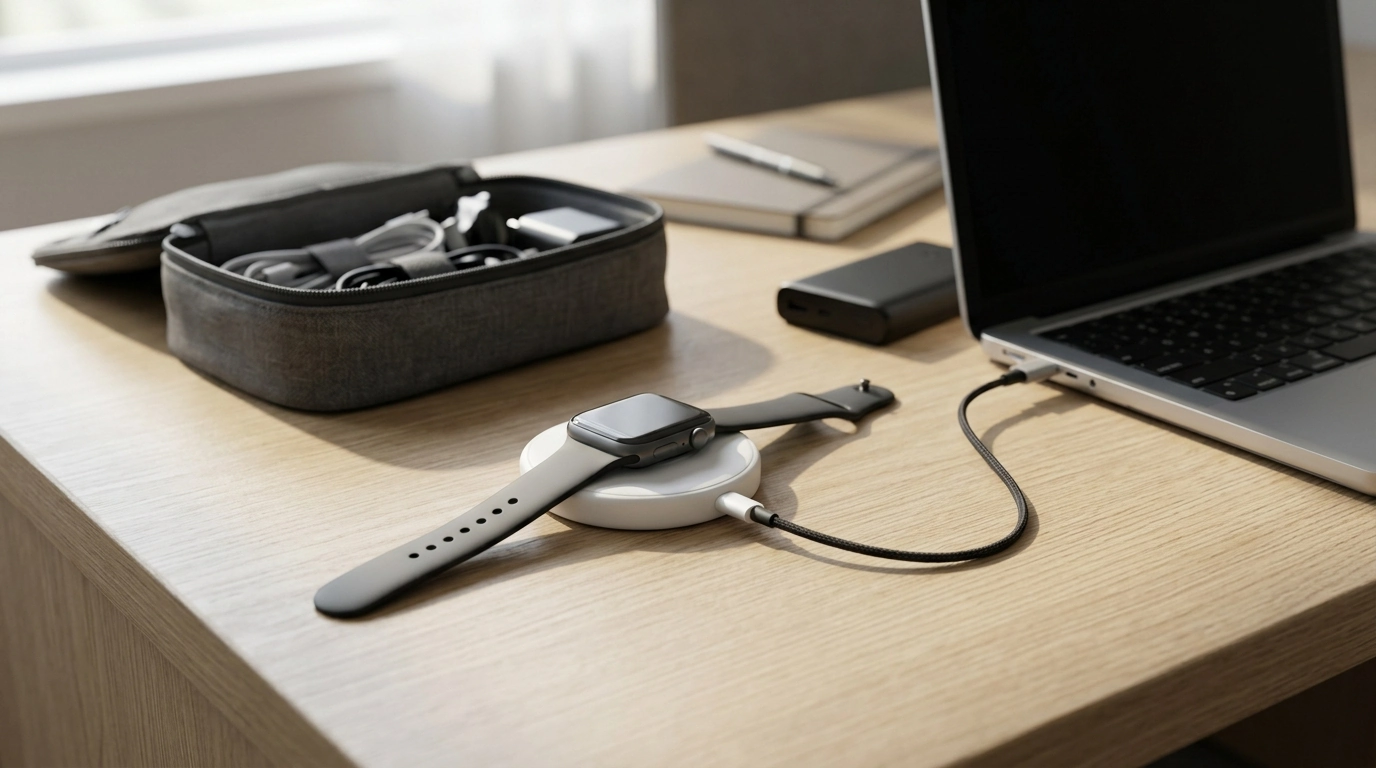
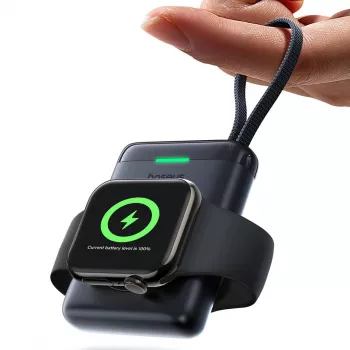
Magnetic Wireless Charger for Apple Watch with USB‑C Built‑in Cable
Keeping an Apple Watch charged shouldn’t require a pile of accessories. A magnetic wireless charger with a built‑in USB‑C connector streamlines daily power-ups: snap the watch onto the magnetic puck, plug USB‑C into a compatible adapter, laptop, or power bank, and you’re set for charging at a desk, bedside, or on the move. Below is a clear look at how this style of charger works, what to verify for compatibility and stable power, and how to avoid the most common causes of inconsistent charging.
What It Is and When It’s Useful
A magnetic Apple Watch charger is a small puck that aligns your watch automatically so the charging coils line up correctly. The USB‑C built‑in cable (or direct USB‑C plug, depending on design) is the difference-maker for modern setups where USB‑C is already the standard.
- Automatic alignment: The magnet helps center the watch for more reliable charging contact.
- Fewer loose parts: With USB‑C built in, there’s less need to pack a separate cable when using USB‑C wall adapters, power banks, or laptop ports.
- Easy to stash: Great for a travel pouch, office drawer, or minimalist nightstand where clutter adds up fast.
- Ideal backup charger: Keep one in a bag or at work while your primary charger stays at home.
Charging Basics: How Magnetic Apple Watch Charging Works
Apple Watch charging uses inductive power transfer: energy moves from the charger to the watch through aligned coils. Because it’s wireless, positioning matters more than with a wired connection. A strong magnetic hold helps keep the watch centered so charging doesn’t pause due to shifting.
Charging speed and consistency also depend on your power source and environment. A low-quality adapter or unstable power bank output can slow charging or cause repeated disconnects. Temperature plays a role, too—if the watch gets warm, it may reduce charging speed to protect the battery. For Apple’s general guidance, see Apple Support: Charge Apple Watch.
Quick Compatibility and Setup Checklist
| Item to check | Why it matters | What to do |
|---|---|---|
| Apple Watch model | Different generations may charge differently | Confirm the charger supports your watch series and size |
| USB‑C power source | Unstable power can slow or stop charging | Use a reliable USB‑C wall adapter, power bank, or laptop port |
| Case/bumper thickness | Thick accessories can reduce magnetic alignment | Remove bulky cases before charging if alignment feels weak |
| Heat and ventilation | Heat can slow charging to protect the battery | Charge in a cool, ventilated spot and avoid direct sunlight |
| Cable strain | Pulling can damage connectors over time | Avoid bending sharply at the USB‑C end; store loosely |
Key Features to Look For in a USB‑C Built‑in Apple Watch Charger
Not all compact chargers behave the same across different adapters and ports. When choosing a USB‑C Apple Watch charging puck, focus on the details that influence day-to-day reliability.
- USB‑C compatibility that fits your routine: USB‑C makes it easier to share chargers between devices and use modern adapters. Apple’s overview of USB‑C adapters is helpful for understanding power expectations: Apple Support: About USB‑C power adapters.
- Compact size with practical durability: A pocketable charger should still have solid housing and strain relief so it holds up in a tech pouch or backpack.
- Secure magnetic hold: The watch should “seat” confidently and stay put on a nightstand, desk, or hotel table.
- Stable charging behavior: Look for consistent charging across common USB‑C sources (wall chargers, laptops, power banks) without frequent reconnects.
Daily Use Tips for Reliable Charging
Charging Sources: Wall Adapters, Power Banks, and Laptop USB‑C Ports
Product Spotlight
If you want a simple, packable solution, the Magnetic Wireless Charger for Apple Watch with USB‑C Built‑in Cable is designed for straightforward daily charging with fewer pieces to manage. It fits well as a dedicated travel charger, an office standby, or a backup at home when you don’t want to move your main charger around.
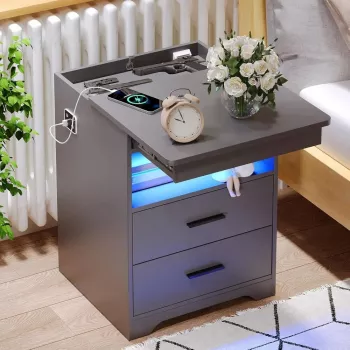
For a tidy bedside setup, consider pairing your charger with a nightstand that keeps power within reach, such as the modern nightstand with hidden gun drawer, USB Type‑C charging, and LED sensor light, so your charging spot stays consistent and clutter-free.
At-a-Glance
| Product | Price | Availability |
|---|---|---|
| Magnetic Wireless Charger for Apple Watch with USB‑C Built‑in Cable | $46.97 | In stock |
Care, Safety, and Storage
FAQ
Will a USB‑C Apple Watch charger work with an iPhone USB‑C adapter?
Usually yes, as long as the adapter provides stable USB power over USB‑C. After connecting, confirm the watch shows the charging icon and stays charging for a few minutes without interruption.
Can an Apple Watch charge from a USB‑C laptop port?
Often yes, but charging can pause if the laptop port has low power output or turns off when the computer sleeps. If you notice interruptions, try another port or use a wall adapter for more consistent power.
Why does Apple Watch charging sometimes stop overnight?
The most common causes are imperfect alignment on the puck, unstable output from the power source, heat buildup, or strain on the connector. Re-seat the watch, switch to a reliable adapter, and charge on a cool, hard surface to improve consistency.













Leave a comment